How to Create an AI Short Film with Consistent Characters
By Camilo Villa, Founder, Artiroom. Published 2026-03-24. 10 min read.
A step-by-step tutorial for creating an AI short film with characters that actually look the same from scene to scene, using Artiroom's Visual DNA and story-to-video pipeline.
How to Create an AI Short Film with Consistent Characters
Making an AI short film is no longer about generating random clips and hoping they fit together. With the right tools and workflow, you can go from a story idea to a finished short film with characters that maintain their identity from the first scene to the last.
This tutorial walks through the complete process using Artiroom, the AI filmmaking platform built specifically for character-consistent storytelling. By the end, you'll have a clear workflow for producing AI short films that look intentional and coherent.
In this guide:
- [Prerequisites](prerequisites)
- [Step 1: Write Your Story](step-1-write-your-story)
- [Step 2: Create Your Characters with Visual DNA](step-2-create-your-characters-with-visual-dna)
- [Step 3: Set Up Your Brand DNA](step-3-set-up-your-brand-dna-visual-style)
- [Step 4: Generate Your Storyboard](step-4-generate-your-storyboard)
- [Step 5: Generate Video Scenes](step-5-generate-video-scenes)
- [Step 6: Compose Your Film in the Timeline](step-6-compose-your-film-in-the-timeline)
- [Step 7: Add Audio](step-7-add-audio-optional)
- [Step 8: Export Your Film](step-8-export-your-film)
- [Common Mistakes to Avoid](common-mistakes-to-avoid)
- [The Bottom Line](the-bottom-line)

---
Prerequisites
> Key takeaway: You need an Artiroom account, a story concept, and optionally some character references - no video editing experience required.
Before you start, you'll need:
- An Artiroom account - The Free plan works for testing (one 480p scene video of up to 5 seconds you preview in the app); a paid plan adds 1080p HD video, downloads, and final-film export
- A story concept - At minimum, a one-paragraph synopsis with defined characters
- Character references (optional but recommended) - Sketches, photos, or descriptions of your characters
- A sense of scene structure - How many scenes, what happens in each, and basic camera direction
No video editing experience is required. Artiroom handles scene generation and sequencing. You'll focus on the creative decisions.
---
Step 1: Write Your Story
> Key takeaway: A solid script is the foundation - jumping straight into generation without a story plan is the most common beginner mistake.
Every good film starts with a story, and AI short films are no exception. The most common mistake beginners make is jumping straight into generation without a script. This leads to aimless clips that don't connect.
Structure Your Narrative
For a 2-5 minute short film, aim for:
- 3-act structure: Setup (introduce character and world), confrontation (the central conflict or event), resolution (outcome and emotional landing)
- 5-15 scenes: Each scene should be a single location, camera setup, or beat
- 1-3 characters: More characters means more consistency challenges; start focused
Write Scene Descriptions
For each scene, write:
1. Setting - Where and when. "Interior, dimly lit library, evening."
2. Action - What happens. "Elena reaches for a glowing book on the top shelf."
3. Camera - Suggested angle. "Medium shot, slight low angle."
4. Mood - Emotional tone. "Curiosity mixed with apprehension."
These descriptions will become your generation prompts, so be specific about visual details.
Example Script Outline
> Scene 1: Wide shot. A rainy city street at night. Elena walks alone under a red umbrella.
>
> Scene 2: Close-up. Elena stops and looks at a mysterious bookshop with a glowing sign.
>
> Scene 3: Interior. Elena enters the bookshop. Shelves stretch impossibly high. An old man (The Keeper) watches from behind the counter.
>
> Scene 4: Medium shot. Elena pulls a book from a shelf. It pulses with light.
>
> Scene 5: Close-up on Elena's face. Wonder and fear.
>
> Scene 6: Wide shot. The bookshop transforms - shelves dissolve into a forest landscape.
---
Step 2: Create Your Characters with Visual DNA
> Key takeaway: Defining characters with Visual DNA before generating a single frame is what separates coherent AI films from random clip collages.
This is where Artiroom differs from every other tool. Before generating a single frame of video, you define your characters using the Visual DNA system.
Define Each Character
Navigate to the Character Studio in Artiroom. For each character, you can:
- Upload reference images - Photos, illustrations, or AI-generated portraits that capture the character's look
- Describe attributes in text - "East Asian woman, late 20s, shoulder-length black hair with a single streak of silver, sharp jawline, wearing a burgundy trench coat"
- Use the attribute editor - Manually adjust specific visual properties like skin tone, eye color, hair texture, and build
What Visual DNA Captures
The system analyzes and stores 40+ attributes including:
- Facial proportions and geometry
- Skin tone and texture
- Hair color, style, and texture
- Eye color, shape, and spacing
- Body build and proportions
- Clothing colors, materials, and fit
- Accessories and distinguishing features
[Learn the full technical details of Visual DNA](/blog/what-is-visual-dna-ai-video)
Build the Profile
Once you've provided references and descriptions, Artiroom generates a Visual DNA profile - a comprehensive identity specification that will constrain every future generation of that character. You can preview the character from multiple angles and refine the profile until it matches your vision.
Pro tip: Spend time getting the Visual DNA profile right. Every minute invested here saves ten minutes of re-generation later.

---
Step 3: Set Up Your Brand DNA (Visual Style)
> Key takeaway: Brand DNA locks in your film's overall visual language - color palette, lighting, art direction - so every scene feels like it belongs in the same world.
Beyond individual characters, your short film needs a consistent visual style. Artiroom's Brand DNA system lets you define the overall aesthetic:
- Color palette - Dominant colors and accent tones
- Lighting style - High key, low key, natural, neon, golden hour
- Art direction - Photorealistic, cinematic, anime, painterly, noir
- Aspect ratio - 16:9 for cinematic, 9:16 for vertical, 1:1 for social
Configure Brand DNA once, and every scene you generate will adhere to the same visual language.
---
Step 4: Generate Your Storyboard
> Key takeaway: The storyboard is your cheapest iteration point - catch and fix character inconsistencies here before committing to expensive video generation.
With your script written and characters defined, use Artiroom's Storyboard Generator:
1. Enter your scene descriptions from Step 1
2. Assign characters to each scene using their Visual DNA profiles
3. Set the style using your Brand DNA configuration
4. Generate storyboard frames - Static images that preview each scene
Review the storyboard. This is your chance to catch issues before committing to video generation:
- Does each character look consistent across frames?
- Does the visual style feel cohesive?
- Are the compositions interesting?
- Does the sequence tell the story visually?
Regenerate any frames that don't work. Adjust prompts, refine camera directions, or tweak the Brand DNA as needed.
---
Step 5: Generate Video Scenes
> Key takeaway: Generate multiple takes per scene - just like real filmmaking, having options to choose from dramatically improves your final film.
Once your storyboard is approved, it's time to generate actual video:
1. Select a scene from your storyboard
2. Review the prompt - Artiroom pre-fills it from your storyboard description
3. Adjust generation parameters - Duration (2-10 seconds per scene), motion intensity, camera movement
4. Generate - The system produces video constrained by both Visual DNA (character identity) and Brand DNA (visual style)
5. Review and iterate - Generate variations if needed; select the best take
Tips for Better Scene Generation
- Be specific about motion - "Elena slowly reaches upward" generates better than "Elena reaches for the book"
- Specify camera movement - "Slow push-in" or "Static wide shot" gives the model direction
- Match lighting to mood - Reference your Brand DNA settings but add scene-specific lighting notes
- Generate multiple takes - Just like real filmmaking, you'll want options to choose from

---
Step 6: Compose Your Film in the Timeline
> Key takeaway: The timeline is where your short film comes together - focus on pacing, continuity, and emotional arc as you arrange your scenes.
Artiroom's Animation Studio Timeline lets you arrange your generated scenes into a complete film:
1. Drag and drop scenes into sequence
2. Trim clips to the exact frames you need
3. Adjust timing - Control the pacing by modifying clip duration
4. Reorder scenes - Drag to rearrange the narrative sequence
5. Preview the full film - Play through the entire sequence to check flow
The timeline is where your short film comes together. Pay attention to:
- Pacing - Does the story breathe? Are there moments of stillness and moments of intensity?
- Continuity - Do scene transitions feel natural?
- Emotional arc - Does the sequence build to the right moments?
---
Step 7: Add Audio (Optional)
> Key takeaway: Audio transforms AI video from a visual exercise into a cinematic experience - even royalty-free music and simple sound effects make a dramatic difference.
While Artiroom focuses on visual generation, you can enhance your film with audio:
- Background music - Use royalty-free tracks or AI-generated music from services like Suno or Udio
- Sound effects - Ambient sounds, footsteps, door creaks
- Voiceover or dialogue - AI voice tools like ElevenLabs can generate character voices
Import audio in your preferred video editor for final assembly.
---
Step 8: Export Your Film
When you're satisfied with your film:
1. Check export quality - Paid plans export in 1080p HD
2. Choose format - MP4 is standard for most platforms
3. Export - Artiroom renders the final video
Your short film is ready for distribution - YouTube, Vimeo, film festivals, social media, or your portfolio.
---
Common Mistakes to Avoid
> Key takeaway: The five biggest mistakes are skipping character definition, over-prompting, ignoring storyboard review, changing style mid-project, and using too many characters.
Skipping Character Definition
Jumping straight into generation without setting up Visual DNA profiles is the fastest way to get inconsistent results. Always define characters first.
Over-Prompting
Long, complex prompts with conflicting details confuse the model. Keep prompts clear and focused on the key elements of each scene.
Ignoring Storyboard Review
The storyboard is your cheapest point of iteration. Fixing issues at the storyboard stage takes seconds; fixing them after video generation wastes credits and time.
Changing Style Mid-Project
Adjusting your Brand DNA settings halfway through a project means earlier and later scenes will look different. Commit to your visual style early.
Too Many Characters
Each additional character multiplies the consistency challenge. Start with one or two characters and expand as you gain confidence with the workflow.
[Understand why character consistency is so challenging technically](/blog/ai-character-consistency-complete-guide)
---
What You Can Make
This workflow supports a range of projects:
- Narrative short films - 2-10 minute stories with character arcs
- Music videos - Visual narratives set to music
- Brand stories - Product or service narratives with brand mascots
- Social media series - Episodic content with recurring characters
- Concept pitches - Visual previsualization for live-action or animation projects
- Educational content - Explainer stories with consistent presenter characters
[See how Artiroom compares to Runway, Sora, and Kling for these workflows](/blog/artiroom-vs-runway-vs-sora-vs-kling)
---
The Bottom Line
> Summary: Creating an AI short film with consistent characters follows an 8-step workflow - script, Visual DNA character profiles, Brand DNA style, storyboard, video generation, timeline assembly, audio, and export - with Artiroom's pipeline handling identity preservation automatically so you can focus on creative decisions.
Next Steps
Once you've completed your first short film:
1. Share it - Post to YouTube or social media and gather feedback
2. Iterate - Use what you learned to improve your next project
3. Build a library - Save your Visual DNA profiles for recurring characters
4. Experiment - Try different genres, styles, and narrative structures
5. Get feedback - Share your finished film with other creators and ask for notes
AI filmmaking is a new medium with its own language and conventions. The creators who invest in learning the craft now will have a significant advantage as the tools continue to improve.
Frequently Asked Questions
How long does it take to create an AI short film?
A 2-3 minute AI short film typically takes 4-8 hours from concept to export. The majority of time is spent on script development, character definition, and storyboard iteration. Actual video generation and assembly is relatively fast once creative decisions are finalized.
Do I need video editing experience to make an AI short film?
No. Artiroom includes a built-in timeline for sequencing scenes, so you can compose your film without external editing software. Basic video editing knowledge helps with pacing and audio, but the platform handles the technical generation and assembly.
How many characters can I include in an AI short film?
You can include any number of characters, but starting with 1-3 is recommended. Each character needs a Visual DNA profile, and scenes with multiple characters require more careful prompting. Most successful AI short films focus on one or two central characters.
What resolution can AI short films be exported at?
Paid Artiroom plans export in 1080p HD, which is sufficient for YouTube, social media, and most online platforms. The Free plan generates one 480p scene video of up to 5 seconds to preview in the app. For film festival submissions or large-screen presentations, check the event's technical requirements first.
Can I use the same characters across multiple AI short films?
Yes. Visual DNA profiles are saved to your account and can be reused across any number of projects. This enables series and episodic content where characters appear consistently across multiple films, building audience recognition over time.
AI short filmtutorialhow to
How to Create an AI Short Film with Consistent Characters
A step-by-step tutorial for creating an AI short film with characters that actually look the same from scene to scene, using Artiroom's Visual DNA and story-to-video pipeline.
Camilo Villa|March 24, 2026|Updated October 7, 2026|10 min read
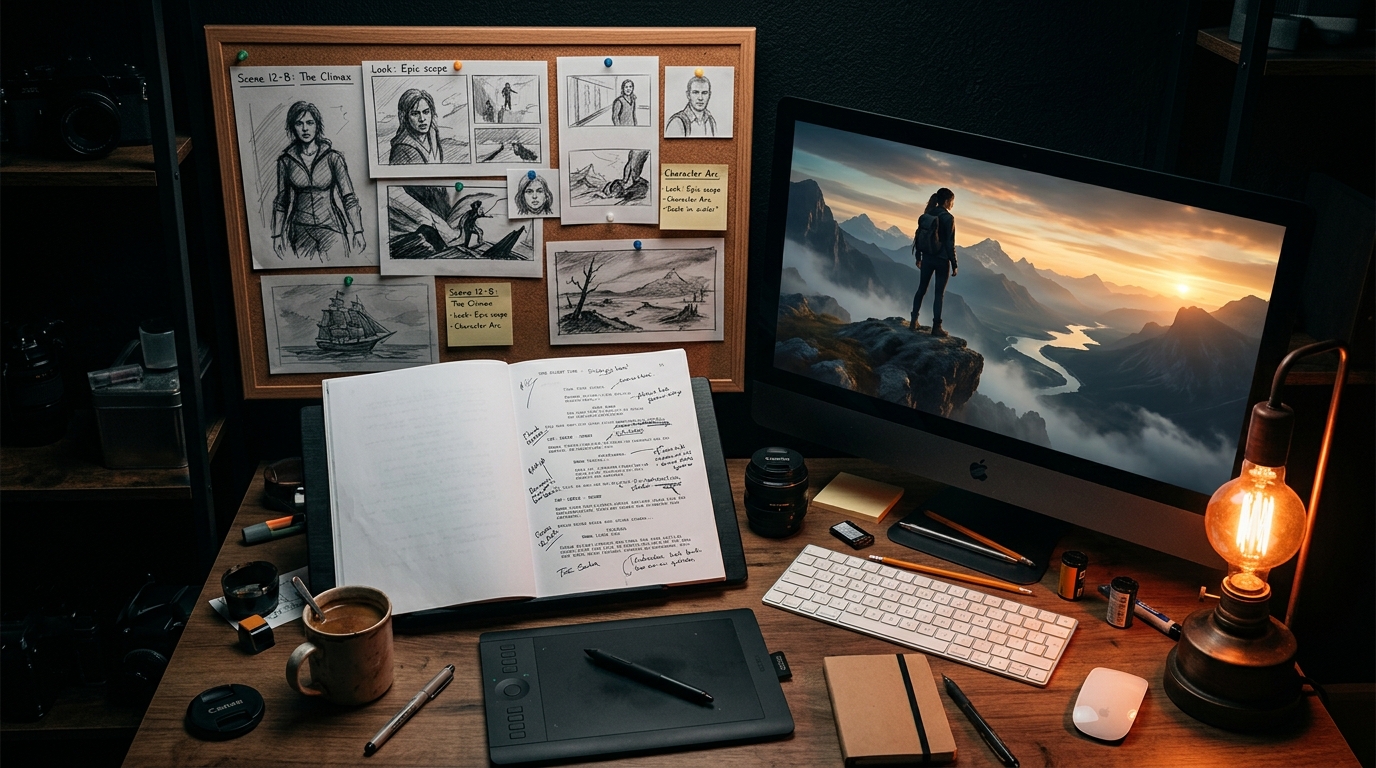
From script to screen — the AI filmmaking workspace
How to Create an AI Short Film with Consistent Characters
Making an AI short film is no longer about generating random clips and hoping they fit together. With the right tools and workflow, you can go from a story idea to a finished short film with characters that maintain their identity from the first scene to the last.
This tutorial walks through the complete process using Artiroom, the AI filmmaking platform built specifically for character-consistent storytelling. By the end, you'll have a clear workflow for producing AI short films that look intentional and coherent.
The 8-step Artiroom workflow: from story concept to finished AI short film
Prerequisites
Key takeaway: You need an Artiroom account, a story concept, and optionally some character references - no video editing experience required.
Before you start, you'll need:
An Artiroom account - The Free plan works for testing (one 480p scene video of up to 5 seconds you preview in the app); a paid plan adds 1080p HD video, downloads, and final-film export
A story concept - At minimum, a one-paragraph synopsis with defined characters
Character references (optional but recommended) - Sketches, photos, or descriptions of your characters
A sense of scene structure - How many scenes, what happens in each, and basic camera direction
No video editing experience is required. Artiroom handles scene generation and sequencing. You'll focus on the creative decisions.
Step 1: Write Your Story
Key takeaway: A solid script is the foundation - jumping straight into generation without a story plan is the most common beginner mistake.
Every good film starts with a story, and AI short films are no exception. The most common mistake beginners make is jumping straight into generation without a script. This leads to aimless clips that don't connect.
Structure Your Narrative
For a 2-5 minute short film, aim for:
3-act structure: Setup (introduce character and world), confrontation (the central conflict or event), resolution (outcome and emotional landing)
5-15 scenes: Each scene should be a single location, camera setup, or beat
1-3 characters: More characters means more consistency challenges; start focused
Write Scene Descriptions
For each scene, write:
Setting - Where and when. "Interior, dimly lit library, evening."
Action - What happens. "Elena reaches for a glowing book on the top shelf."
Camera - Suggested angle. "Medium shot, slight low angle."
Mood - Emotional tone. "Curiosity mixed with apprehension."
These descriptions will become your generation prompts, so be specific about visual details.
Example Script Outline
Scene 1: Wide shot. A rainy city street at night. Elena walks alone under a red umbrella.
Scene 2: Close-up. Elena stops and looks at a mysterious bookshop with a glowing sign.
Scene 3: Interior. Elena enters the bookshop. Shelves stretch impossibly high. An old man (The Keeper) watches from behind the counter.
Scene 4: Medium shot. Elena pulls a book from a shelf. It pulses with light.
Scene 5: Close-up on Elena's face. Wonder and fear.
Scene 6: Wide shot. The bookshop transforms - shelves dissolve into a forest landscape.
Step 2: Create Your Characters with Visual DNA
Key takeaway: Defining characters with Visual DNA before generating a single frame is what separates coherent AI films from random clip collages.
This is where Artiroom differs from every other tool. Before generating a single frame of video, you define your characters using the Visual DNA system.
Define Each Character
Navigate to the Character Studio in Artiroom. For each character, you can:
Upload reference images - Photos, illustrations, or AI-generated portraits that capture the character's look
Describe attributes in text - "East Asian woman, late 20s, shoulder-length black hair with a single streak of silver, sharp jawline, wearing a burgundy trench coat"
Use the attribute editor - Manually adjust specific visual properties like skin tone, eye color, hair texture, and build
What Visual DNA Captures
The system analyzes and stores 40+ attributes including:
Once you've provided references and descriptions, Artiroom generates a Visual DNA profile - a comprehensive identity specification that will constrain every future generation of that character. You can preview the character from multiple angles and refine the profile until it matches your vision.
Pro tip: Spend time getting the Visual DNA profile right. Every minute invested here saves ten minutes of re-generation later.
Visual DNA analyzes 40+ attributes across 6 categories to maintain character identity
Step 3: Set Up Your Brand DNA (Visual Style)
Key takeaway: Brand DNA locks in your film's overall visual language - color palette, lighting, art direction - so every scene feels like it belongs in the same world.
Beyond individual characters, your short film needs a consistent visual style. Artiroom's Brand DNA system lets you define the overall aesthetic:
Color palette - Dominant colors and accent tones
Lighting style - High key, low key, natural, neon, golden hour
Art direction - Photorealistic, cinematic, anime, painterly, noir
Aspect ratio - 16:9 for cinematic, 9:16 for vertical, 1:1 for social
Configure Brand DNA once, and every scene you generate will adhere to the same visual language.
Step 4: Generate Your Storyboard
Key takeaway: The storyboard is your cheapest iteration point - catch and fix character inconsistencies here before committing to expensive video generation.
With your script written and characters defined, use Artiroom's Storyboard Generator:
Enter your scene descriptions from Step 1
Assign characters to each scene using their Visual DNA profiles
Set the style using your Brand DNA configuration
Generate storyboard frames - Static images that preview each scene
Review the storyboard. This is your chance to catch issues before committing to video generation:
Does each character look consistent across frames?
Does the visual style feel cohesive?
Are the compositions interesting?
Does the sequence tell the story visually?
Regenerate any frames that don't work. Adjust prompts, refine camera directions, or tweak the Brand DNA as needed.
Step 5: Generate Video Scenes
Key takeaway: Generate multiple takes per scene - just like real filmmaking, having options to choose from dramatically improves your final film.
Once your storyboard is approved, it's time to generate actual video:
Select a scene from your storyboard
Review the prompt - Artiroom pre-fills it from your storyboard description
Adjust generation parameters - Duration (2-10 seconds per scene), motion intensity, camera movement
Generate - The system produces video constrained by both Visual DNA (character identity) and Brand DNA (visual style)
Review and iterate - Generate variations if needed; select the best take
Tips for Better Scene Generation
Be specific about motion - "Elena slowly reaches upward" generates better than "Elena reaches for the book"
Specify camera movement - "Slow push-in" or "Static wide shot" gives the model direction
Match lighting to mood - Reference your Brand DNA settings but add scene-specific lighting notes
Generate multiple takes - Just like real filmmaking, you'll want options to choose from
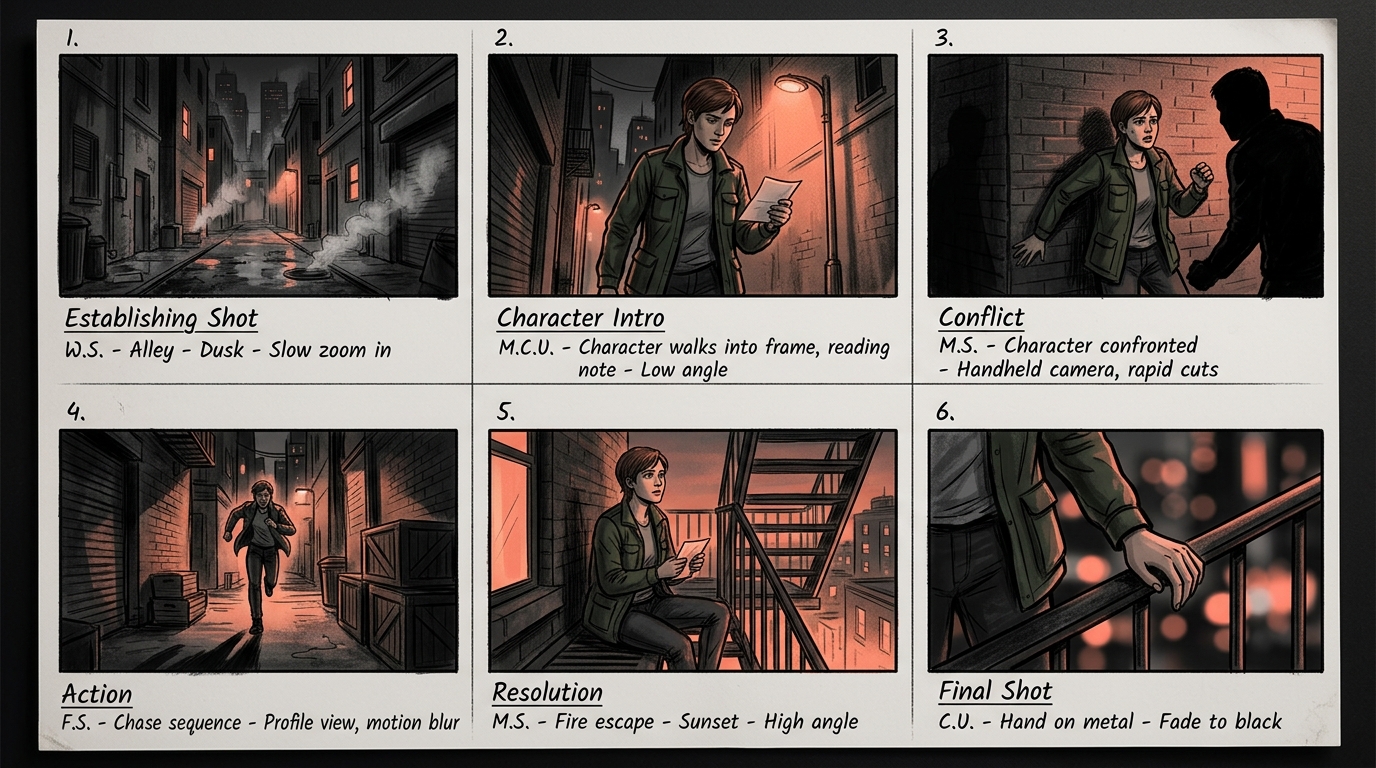
Storyboard panels showing a narrative sequence with consistent characters
Step 6: Compose Your Film in the Timeline
Key takeaway: The timeline is where your short film comes together - focus on pacing, continuity, and emotional arc as you arrange your scenes.
Artiroom's Animation Studio Timeline lets you arrange your generated scenes into a complete film:
Drag and drop scenes into sequence
Trim clips to the exact frames you need
Adjust timing - Control the pacing by modifying clip duration
Reorder scenes - Drag to rearrange the narrative sequence
Preview the full film - Play through the entire sequence to check flow
The timeline is where your short film comes together. Pay attention to:
Pacing - Does the story breathe? Are there moments of stillness and moments of intensity?
Continuity - Do scene transitions feel natural?
Emotional arc - Does the sequence build to the right moments?
Step 7: Add Audio (Optional)
Key takeaway: Audio transforms AI video from a visual exercise into a cinematic experience - even royalty-free music and simple sound effects make a dramatic difference.
While Artiroom focuses on visual generation, you can enhance your film with audio:
Background music - Use royalty-free tracks or AI-generated music from services like Suno or Udio
Sound effects - Ambient sounds, footsteps, door creaks
Voiceover or dialogue - AI voice tools like ElevenLabs can generate character voices
Import audio in your preferred video editor for final assembly.
Step 8: Export Your Film
When you're satisfied with your film:
Check export quality - Paid plans export in 1080p HD
Choose format - MP4 is standard for most platforms
Export - Artiroom renders the final video
Your short film is ready for distribution - YouTube, Vimeo, film festivals, social media, or your portfolio.
Common Mistakes to Avoid
Key takeaway: The five biggest mistakes are skipping character definition, over-prompting, ignoring storyboard review, changing style mid-project, and using too many characters.
Skipping Character Definition
Jumping straight into generation without setting up Visual DNA profiles is the fastest way to get inconsistent results. Always define characters first.
Over-Prompting
Long, complex prompts with conflicting details confuse the model. Keep prompts clear and focused on the key elements of each scene.
Ignoring Storyboard Review
The storyboard is your cheapest point of iteration. Fixing issues at the storyboard stage takes seconds; fixing them after video generation wastes credits and time.
Changing Style Mid-Project
Adjusting your Brand DNA settings halfway through a project means earlier and later scenes will look different. Commit to your visual style early.
Too Many Characters
Each additional character multiplies the consistency challenge. Start with one or two characters and expand as you gain confidence with the workflow.
Summary: Creating an AI short film with consistent characters follows an 8-step workflow - script, Visual DNA character profiles, Brand DNA style, storyboard, video generation, timeline assembly, audio, and export - with Artiroom's pipeline handling identity preservation automatically so you can focus on creative decisions.
Next Steps
Once you've completed your first short film:
Share it - Post to YouTube or social media and gather feedback
Iterate - Use what you learned to improve your next project
Build a library - Save your Visual DNA profiles for recurring characters
Experiment - Try different genres, styles, and narrative structures
Get feedback - Share your finished film with other creators and ask for notes
AI filmmaking is a new medium with its own language and conventions. The creators who invest in learning the craft now will have a significant advantage as the tools continue to improve.