Create Podcast Video Clips with AI
Podcast video clips are short visual excerpts from audio podcast episodes, designed for social media distribution to attract new listeners and build audience engagement. Podcast Insights data shows that podcasts promoted with video clips on social media grow their listener base 2x faster than those using audio-only promotion, and Headliner reports that video podcast clips receive 6x more engagement than static audiograms. AI video generation adds compelling visuals to audio highlights, creating truly engaging content that competes for attention on visual-first platforms.
Benefits
Grow Your Listener Base
Video clips on social media act as trailers for your podcast, converting scrollers into subscribers and regular listeners.
Visual Storytelling for Audio
Add contextual visuals to your best quotes and discussions, making audio content accessible on visual-first platforms.
Consistent Host Appearance
Visual DNA creates a consistent visual representation of your host across all clips, building recognition.
Maximize Episode ROI
Extract 5-10 video clips from every episode, multiplying your content output without recording anything new.
Examples
Business Podcast Key Insight
A business podcast promotes a compelling segment about the future of remote work.
Prompt: "Two professionals having an animated conversation in a podcast studio with microphones and headphones, gesturing while discussing ideas, a holographic display between them showing remote work statistics and world map connections, modern podcast studio with acoustic panels and warm lighting"
True Crime Podcast Moment
A true crime podcast creates a visual clip for a dramatic revelation in their latest episode.
Prompt: "A dimly lit detective's desk covered in case files and photos connected by red string on a corkboard, a flashlight beam revealing a key piece of evidence, moody noir atmosphere with shadows and rain on a window, suspenseful and atmospheric visual storytelling"
Health and Wellness Expert Quote
A wellness podcast visualizes an expert's advice on morning routines.
Prompt: "A person waking up peacefully at sunrise, stretching and doing a morning yoga flow, preparing a green smoothie in a bright kitchen, journaling at a window with golden morning light, calm and aspirational morning routine sequence, peaceful and intentional lifestyle"
How It Works
Step 1: Highlight Key Moments
Identify the most quotable, insightful, or entertaining 30-60 second segments from your podcast episode.
Step 2: Generate Visual Accompaniments
Artiroom creates dynamic visual scenes that match the discussion topic, featuring consistent host and guest characters.
Step 3: Combine and Distribute
Layer the audio over the generated visuals, add captions, and export for Instagram, TikTok, YouTube Shorts, and LinkedIn.
Frequently Asked Questions
How do I choose which podcast moments to turn into video clips?
Look for standalone insights, surprising statistics, emotional moments, and controversial opinions that make sense out of context. The best clips should make someone want to hear the full episode.
Can I create video clips for an audio-only podcast?
Yes - that is exactly what Artiroom excels at. Generate visual representations of your discussion topics, host, and guests entirely from text descriptions to transform audio content into visual social media assets.
What aspect ratio works best for podcast clips on social media?
9:16 vertical for Instagram Reels, TikTok, and YouTube Shorts. 1:1 square for Instagram feed and Twitter. 16:9 for LinkedIn and YouTube. Create multiple versions from the same visual content.
How many clips should I create per podcast episode?
Aim for 3-5 clips per episode. This gives you a week's worth of social content from each recording and maximizes the chances of one clip gaining traction and driving listeners to the full episode.
Will adding visuals to my podcast audio feel awkward?
Not at all. The key is matching the visual tone to the audio content. Artiroom generates contextually relevant scenes that enhance the listening experience and give viewers something compelling to watch while they absorb your message.
Create Podcast Video Clips with AI
Transform your best podcast moments into scroll-stopping video clips that drive new listeners from social media to your show.
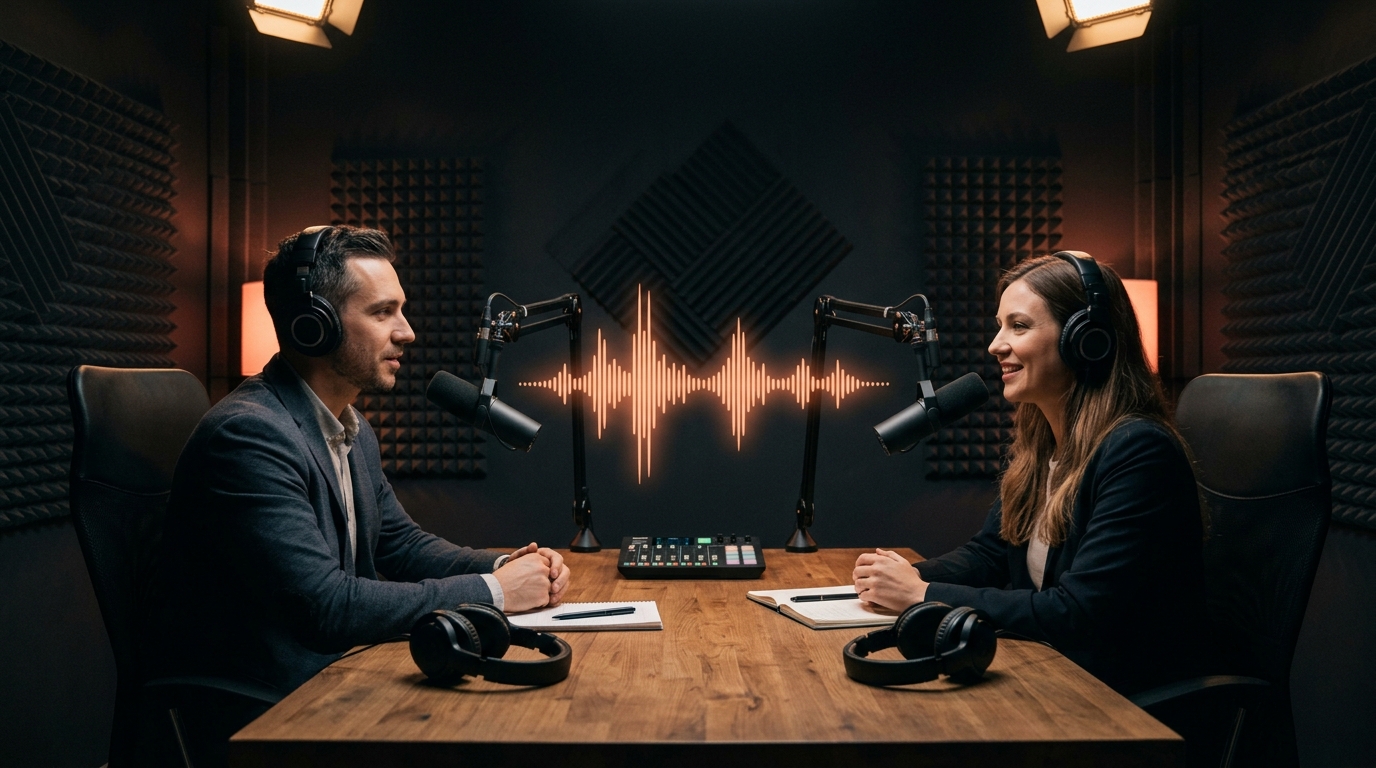
Podcast video clips are short visual excerpts from audio podcast episodes, designed for social media distribution to attract new listeners and build audience engagement. Podcast Insights data shows that podcasts promoted with video clips on social media grow their listener base 2x faster than those using audio-only promotion, and Headliner reports that video podcast clips receive 6x more engagement than static audiograms. AI video generation adds compelling visuals to audio highlights, creating truly engaging content that competes for attention on visual-first platforms.
Why Podcast Clips with Artiroom
Key benefits of using AI-powered video generation for this use case
Grow Your Listener Base
Video clips on social media act as trailers for your podcast, converting scrollers into subscribers and regular listeners.
Visual Storytelling for Audio
Add contextual visuals to your best quotes and discussions, making audio content accessible on visual-first platforms.
Consistent Host Appearance
Visual DNA creates a consistent visual representation of your host across all clips, building recognition.
Maximize Episode ROI
Extract 5-10 video clips from every episode, multiplying your content output without recording anything new.
Example Prompts
Business Podcast Key Insight
A business podcast promotes a compelling segment about the future of remote work.
"Two professionals having an animated conversation in a podcast studio with microphones and headphones, gesturing while discussing ideas, a holographic display between them showing remote work statistics and world map connections, modern podcast studio with acoustic panels and warm lighting"
True Crime Podcast Moment
A true crime podcast creates a visual clip for a dramatic revelation in their latest episode.
"A dimly lit detective's desk covered in case files and photos connected by red string on a corkboard, a flashlight beam revealing a key piece of evidence, moody noir atmosphere with shadows and rain on a window, suspenseful and atmospheric visual storytelling"
Health and Wellness Expert Quote
A wellness podcast visualizes an expert's advice on morning routines.
"A person waking up peacefully at sunrise, stretching and doing a morning yoga flow, preparing a green smoothie in a bright kitchen, journaling at a window with golden morning light, calm and aspirational morning routine sequence, peaceful and intentional lifestyle"
Step by step
How it works
Highlight Key Moments
Identify the most quotable, insightful, or entertaining 30-60 second segments from your podcast episode.
Generate Visual Accompaniments
Artiroom creates dynamic visual scenes that match the discussion topic, featuring consistent host and guest characters.
Combine and Distribute
Layer the audio over the generated visuals, add captions, and export for Instagram, TikTok, YouTube Shorts, and LinkedIn.
Related Use Cases
AI Social Media Reels Creator
Produce thumb-stopping vertical video content for every platform - consistent characters, trending styles, and rapid turnaround.
AI YouTube Intro Creator
Hook viewers in the first 5 seconds with a professional, branded YouTube intro that sets the tone and builds channel recognition.
Create Behind-the-Scenes Videos with AI
Pull back the curtain on your brand with behind-the-scenes content that humanizes your business and deepens audience connection.
FAQ